

Overtime & Excess Hours
Overtime, or excess hours, is time an employee works beyond what their award expects of them. biotime watches for it as the timesheet builds, and converts that time to a different pay code once it passes the point your award treats as excess.
The two terms mean the same thing here — sites use whichever suits their award, and this page uses both.
Think of the kinds of extra time it picks up:
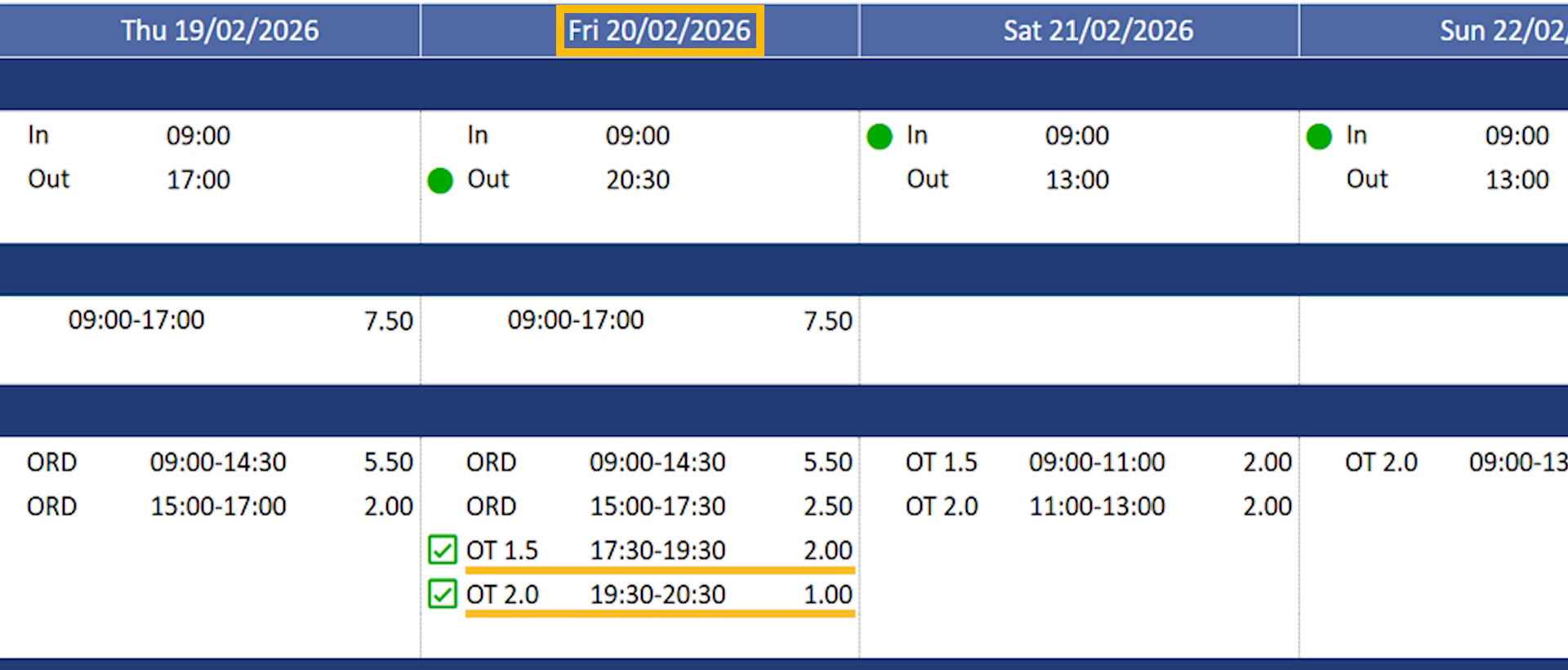
Someone stays back an hour past their rostered finish to get a delivery out.
A part-timer covers a colleague and works 42 hours in a week instead of 38.
Someone works a full day that wasn’t on their roster at all.
Whether any of that pays as excess hours, and at what rate, comes down to the overtime rules on that employee’s award. Those are configured with the biotime team to match your agreement, so what follows describes how overtime behaves rather than how to set it up.
On this page
What counts as excess hours
Your award measures excess hours against a baseline — the standard it expects that employee to work. Three baselines are common, and an award can use more than one at once:
1
Against the roster
Time worked either side of a rostered shift, or on a day the employee wasn’t rostered at all. See the Rosters guides.
2
Against contracted hours
Hours beyond what the employee is contracted to work, taken from their Work Pattern.
3
Against a total
A flat number of hours in a day or a period — which covers casuals and anyone without a fixed roster.
An award can also measure against a Master Roster rather than the day-to-day roster. Rules can be limited to particular circumstances too, so two employees working identical hours can land on different outcomes.
How excess hours get paid
Overtime doesn’t have to pay at a single rate. An award can step it up the longer it runs — the first block at one rate, the next at a higher one, and everything past that at the top rate.
The calculation itself runs one of three ways — daily, by period (a running total across a week or fortnight), or roster-based — and an award can combine more than one. Which applies is set alongside the baseline it measures against — the roster, a Work Pattern, or a flat total — not chosen separately.
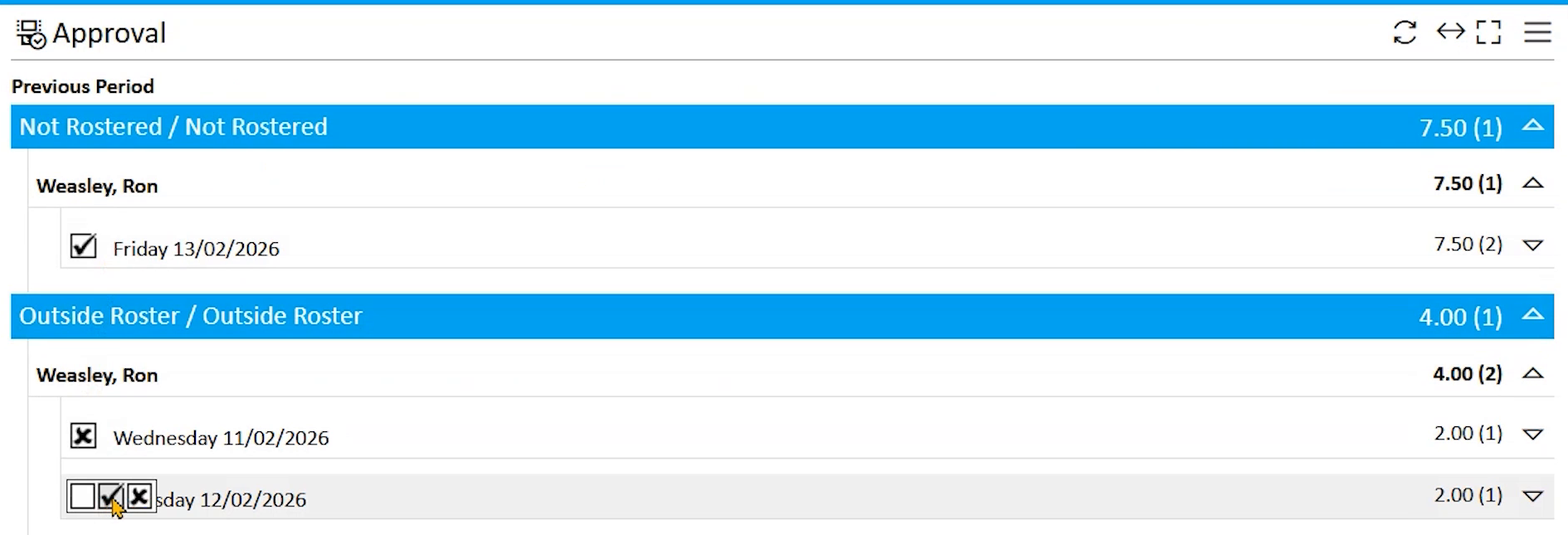
Approval works the same way, block by block rather than all-or-nothing. The first stretch often pays automatically while the higher-rate hours wait for a manager. Seeing part of a day’s excess hours paid and part still pending isn’t a fault.
Why extra hours didn’t pay as overtime
Working extra hours doesn’t automatically produce an overtime payment. When you expected one and it didn’t appear, these are the usual reasons, roughly in order of how often they turn out to be the cause:
- The time was recorded against a pay code the rule doesn’t cover. Each overtime rule only converts certain kinds of time. Time recorded against anything else is left alone, however many hours were worked — and nothing on the timesheet flags that it was skipped.
- The threshold wasn’t crossed. Passing a baseline isn’t the same as passing a threshold. Where a rule pays after a total is reached, nothing happens until that total is exceeded.
- The day didn’t qualify. Some rules only apply in particular circumstances, so an otherwise similar day can be excluded.
- Nothing covers that scenario. An award only pays excess hours it has a rule for. Extra time on a day nothing watches stays as ordinary time.
- It’s waiting on approval. The overtime has calculated, but a manager hasn’t signed it off yet.
If you’ve been through those and it still looks wrong, that’s the point to raise it with us. Knowing what you’ve already ruled out makes it much quicker to trace.
FAQ
Why did the same employee get two different overtime rates on one day?
Their award steps overtime up as it continues. The first block pays at one rate, and once that block is used up the rest pays at the next rate. Where the award is set up that way, everything past the final step pays at the top rate.
An employee has no roster. Can they still get excess hours?
Yes. A rule can work from a flat amount of time worked rather than a roster, which is how casuals and anyone without a fixed baseline are covered.
If I correct someone’s Work Pattern, does their overtime change?
It can. Where the award measures excess hours against contracted hours, it reads the Work Pattern live rather than keeping a copy — so correcting the pattern changes what comes out of it.
Does overtime always need approving?
No, and it can differ within the same day. It’s common for the first stretch to pay automatically and the higher-rate hours to need a manager’s approval first.
What’s the difference between overtime and excess hours?
Nothing meaningful in biotime — both describe time worked beyond a baseline, and sites use whichever term matches their award. What matters is which rule is watching those hours, not what they’re called.
Our overtime isn’t calculating the way our agreement says it should. What now?
Get in touch. Overtime rules are configured per award to match your agreement, so a mismatch is something we look at and adjust with you rather than something to change at your end. Tell us the employee, the date, and what you expected to see — that’s usually enough to find it quickly.
Related
Need a hand?
Our support team knows biotime inside out. Send us a message and we’ll get back to you, usually within one business day.
Prefer to call? AU 1300 139 460 · NZ 0800 111 438
From overseas: +61 7 5613 2700 · +64 9 820 3444
Monday to Friday, 8:30am – 5:00pm (AEST/NZST)