If an employee can't log in to self service, you can set a temporary password for them on their profile. They choose their own password the next time they log in.
Before you start
You'll need a way to pass the temporary password to the employee, such as email.
For security, biotime checks the new password against a set of rules, and the rules that apply can vary. The password may need to:
- not contain the employee's login
- be at least 8 characters long
- include at least one upper case letter (A-Z)
- include at least one lower case letter (a-z)
- include at least one number (0-9)
- include at least one special character, such as ! # $ % & or @
Set a temporary password
-
Go to Employee → Profile.
-
In the Name filter of the Employee Profile list, type part of the employee's name, then click their name. Their profile opens.
 2 The employee to click
-
Click the Self Management tab. The login is shown under Self Service Details.
-
Enter the temporary password in Password, then again in Confirm Password.
-
Make sure Must Change Password is ticked.
-
Click the tick in the top-right corner to save and close. (The disk icon next to it saves and keeps the profile open.)
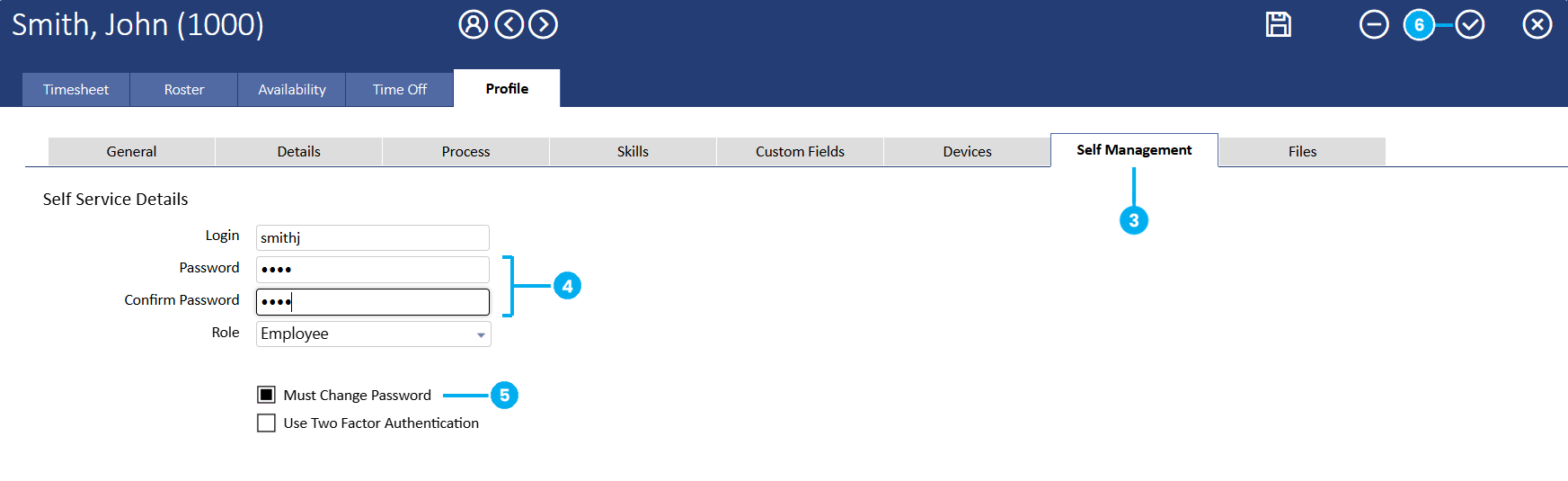 3 The Self Management tab4 The temporary password, entered twice5 Must Change Password ticked6 Save and close
-
Let the employee know their temporary password.
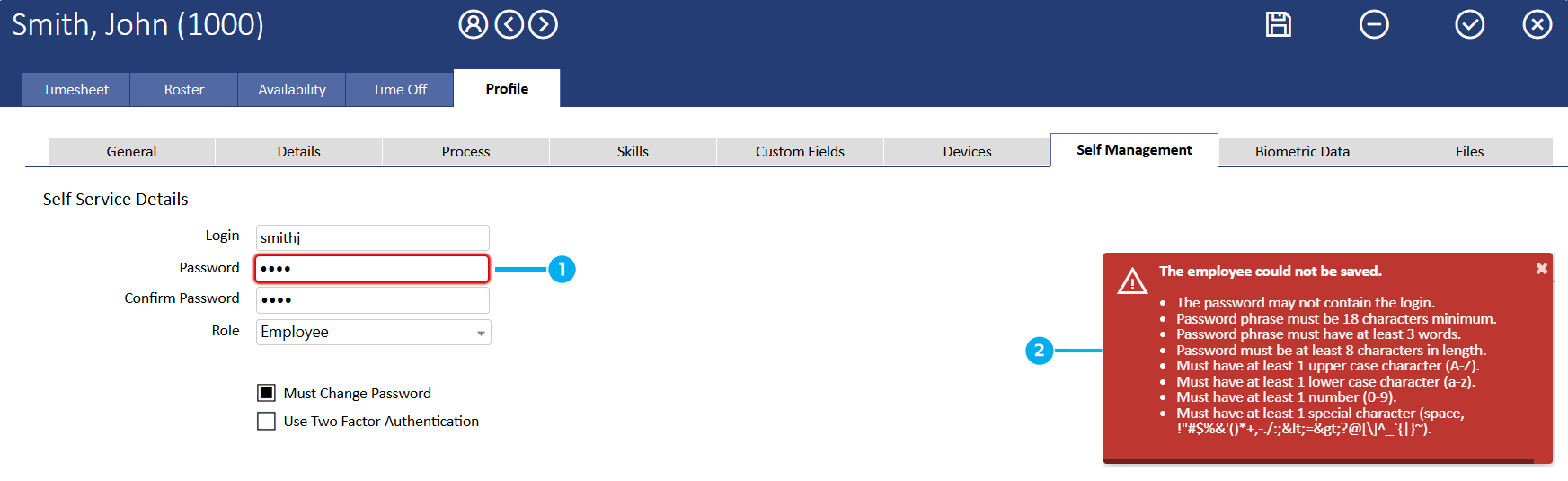
If the password doesn't meet the requirements, biotime shows The employee could not be saved. with a list of the rules. Change the password to meet every rule, then save again.
What the employee does next
- The employee logs in with their login and the temporary password.
- biotime opens the Change Password screen. The employee enters a new password in Password and Confirm, then clicks the tick in the top-right corner.

Employees can reset their own password
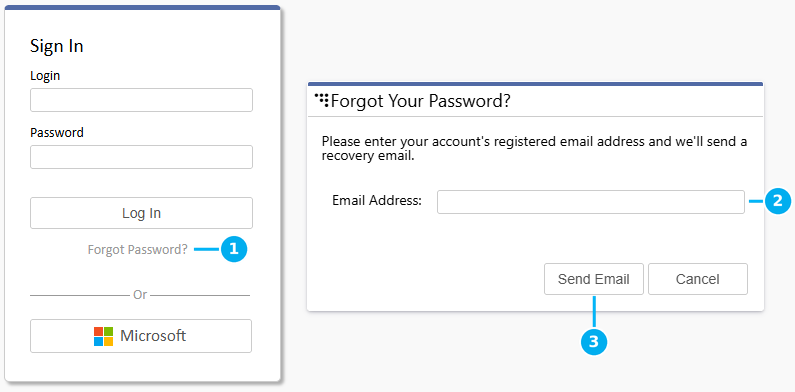
On the Sign In screen:
- The employee clicks Forgot Password?.
- They enter their registered email address.
- They click Send Email. biotime sends them a recovery email.
This only works if the employee has an email address associated with their biotime profile.